
Printed Lightboxes or Digital Screens: Comparing the Science Behind Visual Displays
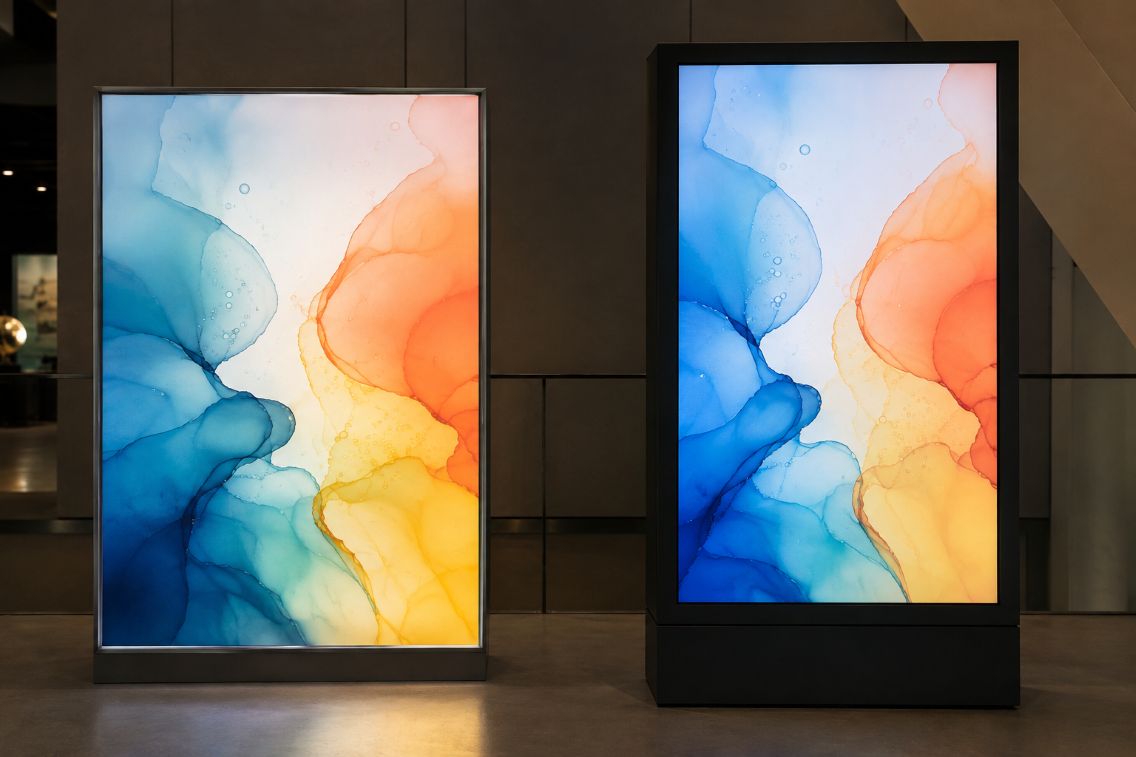
Visual displays work by controlling light that reaches the viewer’s eyes. A printed lightbox sends illumination through a translucent image, while a digital screen creates changing images with electronically controlled pixels. Both systems can produce bright, detailed graphics, but their physical behavior leads to different strengths, costs, and practical uses.
Printed lightboxes place a translucent graphic between the viewer and an internal light source. Materials commonly described as Duratrans are designed for this type of application, allowing light to pass through printed colors. Digital screens instead regulate light across thousands or millions of pixels, enabling motion, scheduled messages, and frequent updates.
The Case for Printed Lightboxes
A lightbox offers operational simplicity. Once the graphic is installed and the fixture is switched on, the image remains stable. It does not require content-management software, network access, media players, or routine system updates. This can be useful in museums, transport facilities, laboratories, and retail environments where one image must remain visible for an extended period.
Image consistency is another advantage. The printed graphic cannot unexpectedly change because of a software error or connection failure. Its appearance still depends on the light source, ink, film, and surrounding illumination, but careful production can control these variables. The International Color Consortium explains that device profiles help reproduce colors consistently across cameras, monitors, and print processes.
Modern lightboxes frequently use LEDs. The U.S. Department of Energy identifies LED lighting as the most energy-efficient lighting technology currently available and notes that it can reach high levels of luminous efficacy. LEDs also direct illumination efficiently, making them well suited to the shallow, evenly lit structures used for display graphics.
The Case for Digital Screens
Digital signage has a clear advantage when information changes regularly. One screen can present several messages, animations, videos, live measurements, or emergency notices without requiring a physical graphic to be replaced. Updates may also be scheduled across multiple locations, which helps organizations coordinate time-sensitive communication.
This flexibility comes with more technical requirements. A digital installation may include a display panel, media player, network connection, software platform, and remote administration system. Each component creates a possible maintenance point. Screens can also experience software interruptions, failed connections, damaged pixels, or compatibility problems that do not affect a static printed panel.
Energy use deserves careful comparison. Both systems need electricity when illuminated, but consumption depends on size, brightness, operating schedule, and equipment efficiency. The ENERGY STAR criteria for signage displays set separate limits for on, sleep, and off modes. They also account for screen area and maximum luminance, showing why a simple statement that one display type always uses less energy would be misleading.
How Light and Color Behave
The two technologies form images differently. A lightbox’s appearance results from light passing through layers of film and ink. Dense printed areas transmit less light, while lighter areas allow more through. Uneven internal lighting can therefore create visible bright spots or dark zones. The color temperature and spectral qualities of the LEDs may also influence how the printed colors appear.
Digital screens create color through combinations of red, green, and blue light. Their brightness can often be adjusted for changing conditions, while some models use automatic controls. Yet greater brightness is not always better. Excessive luminance in a dim room can cause glare, while strong daylight can reduce perceived contrast and make a screen harder to read.
Calibration matters in both workflows. Guidance from the International Color Consortium states that display calibration and profiling help maintain consistent color and communicate it accurately to other screens, prints, or projectors. A designer should still assess the final display under its intended lighting because human color perception adapts to surrounding brightness and the apparent white point.
Maintenance, Materials, and Updating
Printed graphics require physical handling whenever content changes. Staff must produce, transport, and install a replacement, and the removed sheet may become waste if it cannot be reused. However, the fixture itself can remain comparatively uncomplicated. Cleaning the front surface and checking the LEDs, wiring, and graphic condition may cover much of its routine maintenance.
A digital screen eliminates repeated printing for changing content, but its electronic parts eventually age. Applications such as live sports streaming and global interaction also show why electronic displays need reliable software, connectivity, and data delivery when presenting real-time material. Brightness and color uniformity may shift over time, while media players and software can require support. The U.S. Department of Energy notes that LED output gradually declines during service, so maintenance planning should consider reduced light output rather than treating an illuminated system as permanently unchanged.
Update frequency often becomes the deciding factor. A permanent scientific diagram, directory, or photographic display may suit a printed lightbox. Live transit data, rotating safety instructions, event schedules, or frequently revised research results generally make stronger use of a digital screen’s capabilities.
Choosing According to the Environment
Neither technology is universally superior. Decision-makers should examine ambient light, viewing distance, required brightness, content lifespan, available technical support, operating hours, and replacement procedures. They should also calculate energy and material use over the display’s expected service period instead of comparing purchase prices alone.
Printed lightboxes favor stable presentation, straightforward operation, and carefully controlled imagery. Digital screens favor motion, remote management, and rapid revision. A balanced choice follows the communication task: use a static illuminated graphic when permanence adds value, choose an electronic display when timely change matters, and consider a mixed system when the environment requires both qualities.